

Overview
How it works
- In Glass, click Start Call.
- Select Real Talk Mode.
- Join your Google Meet meeting.
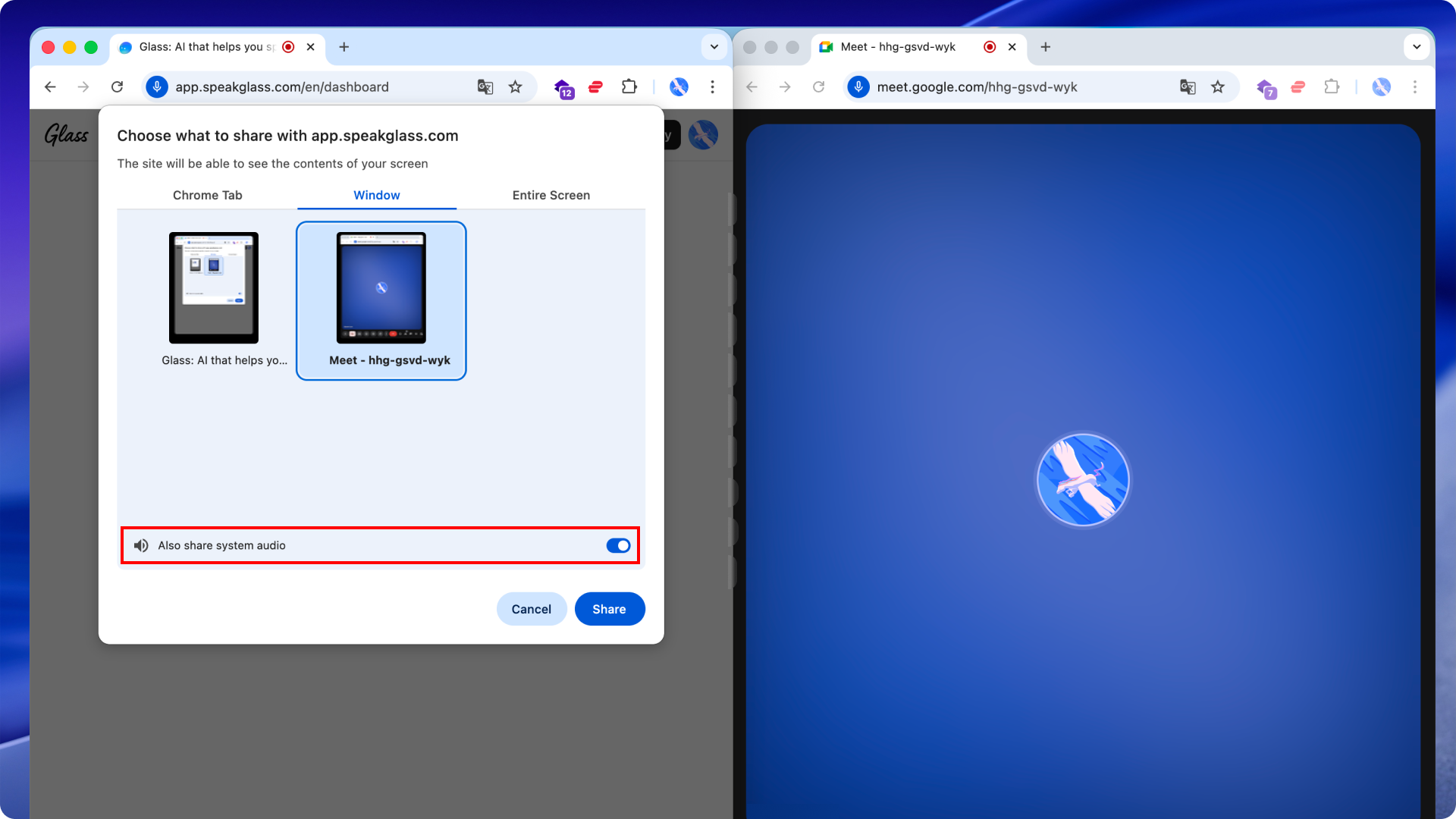
- When the screen-share window appears, select your Google Meet window and turn on the Share system audio toggle.
- Keep Glass and Google Meet open side by side and start your conversation.