Skip to main contentOverview
Teams is ideal for practicing real conversations with people outside the community, including friends, tutors, colleagues, or language partners. Glass helps you speak more clearly by supporting you throughout your call and guiding you through natural, real-life conversations.
How it works
- In Glass, click Start Call.
- Select Real Talk Mode.
- Join your Teams meeting.
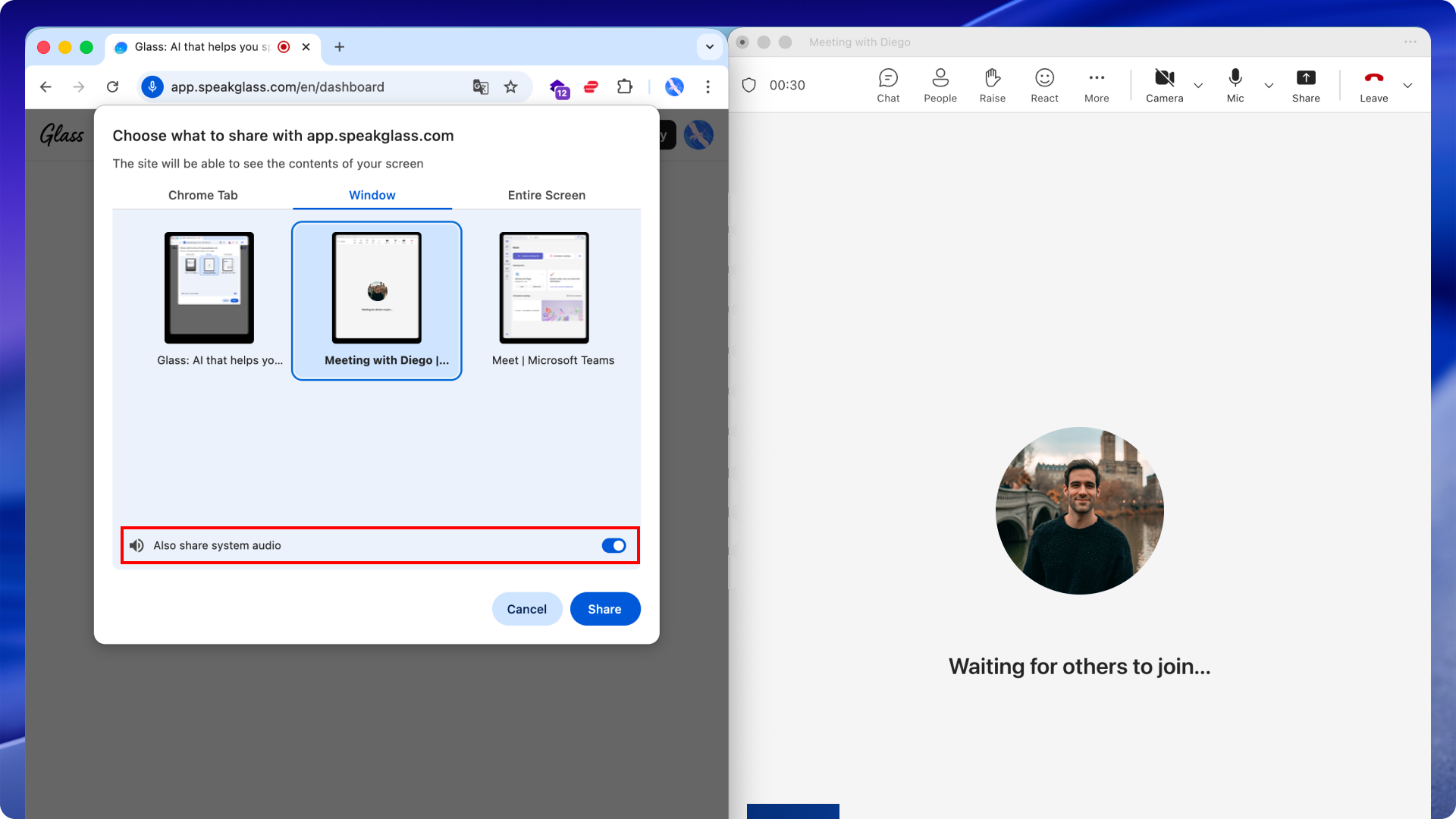
- When the screen-share window appears, select your Teams window and turn on the Share system audio toggle.
- Keep Glass and Teams open side by side and start your conversation.